
Transcribe speech, audio, and video on your iPhone
Video Transcriber is a video-to-text and audio-to-text app that turns speech to text and voice to text into accurate English transcripts. Record meetings, lectures, interviews, podcasts, and content ideas. All transcription runs on a…
Why people use Video Transcriber
Highlights taken from the app's current App Store listing.
Record meetings
Record meetings, lectures, interviews, podcasts, and content ideas.
All transcription runs on a device
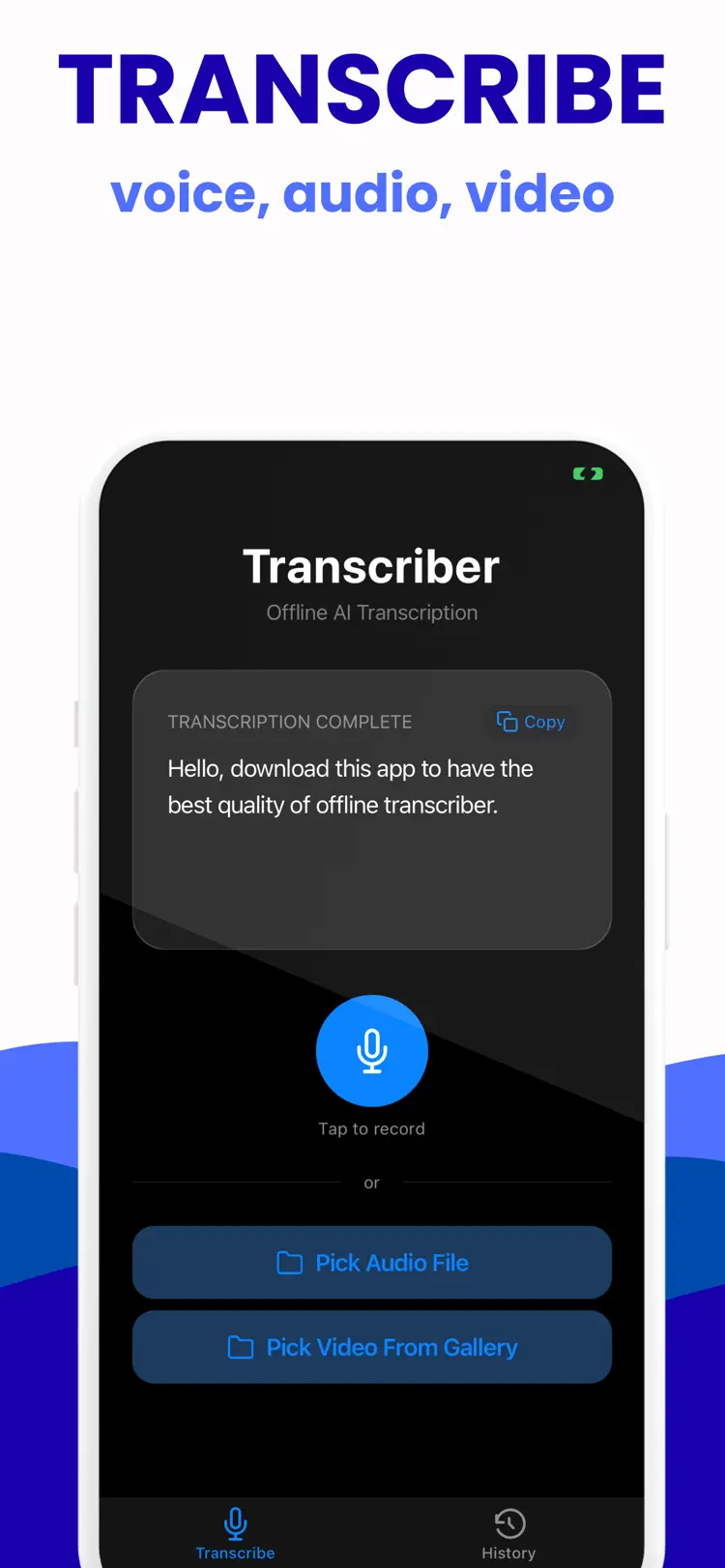
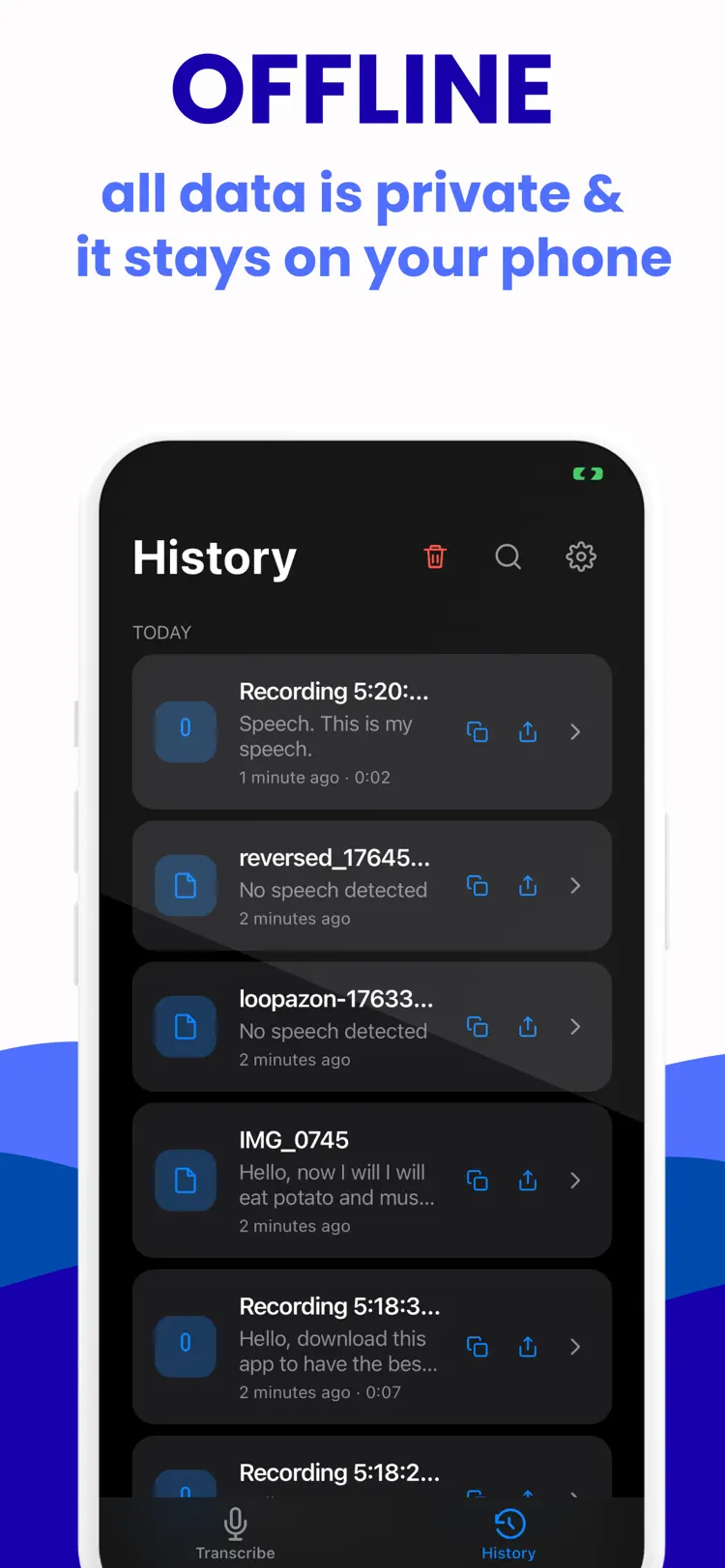
All transcription runs on a device with private AI and works offline.
Record live audio
Record live audio, import a video from your gallery, or pick an audio file.
Video Transcriber extracts the audio
Video Transcriber extracts the audio, transcribes it, and saves the result automatically.
Search your transcription history and keep
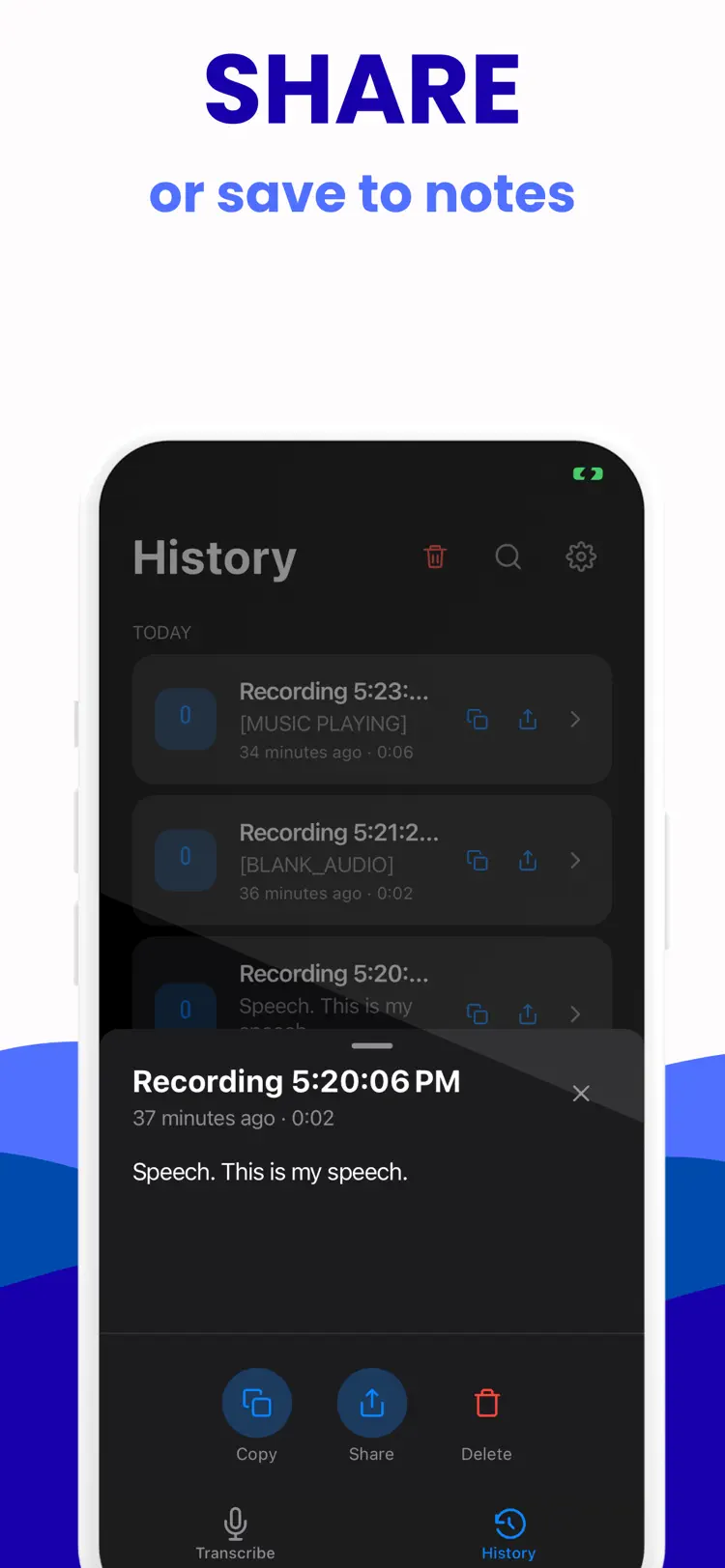
Search your transcription history and keep everything organized.
Copy or share text
Copy or share text with a tap and delete anything you no longer need.
How it works
How to transcribe speech, audio, and video in three steps.
Provide the input
Add a recording or live speech with enough detail for a useful result.
Generate the result
Choose the relevant tool or style and let the app process your request.
Review and refine
Treat generated output as a starting point, then edit or verify it before relying on it.
Frequently asked questions
Quick answers about features, pricing, compatibility, and privacy.
What does Video Transcriber do?
Is Video Transcriber free?
Which iPhone version does Video Transcriber support?
How does Video Transcriber handle privacy?
When was Video Transcriber last updated?
Try Video Transcriber on iPhone
Open the official App Store listing for the latest features, compatibility, pricing, and privacy details.